
Feature · B2B e-commerce · Shipped 2025
Upload a spreadsheet, create an order. The design problem was everything that goes wrong in between.
Brief → Reframe → UX → UI → Handoff
Merchant dashboard + storefront
"There should be an API end point that allows authenticated users to send an excel listing of products and to have cart created and ready for them.
Apparently a common use case for bars and restaurants." - and so a journey began.
Before — Adding products one at a time. I timed a hundred-item order by hand: 58 minutes.
After — After — upload, map, confirm. Minutes, not an hour.
Company — City Hive, a beverage e-commerce platform
Role — Role — Product designer (reframe, UX, UI, spec, handoff)
Surfaces — Merchant dashboard, storefront
Year — 2025
Shipped — Yes, merchant dashboard first
HOW I READ IT
The order already exists. It just lives in a spreadsheet.
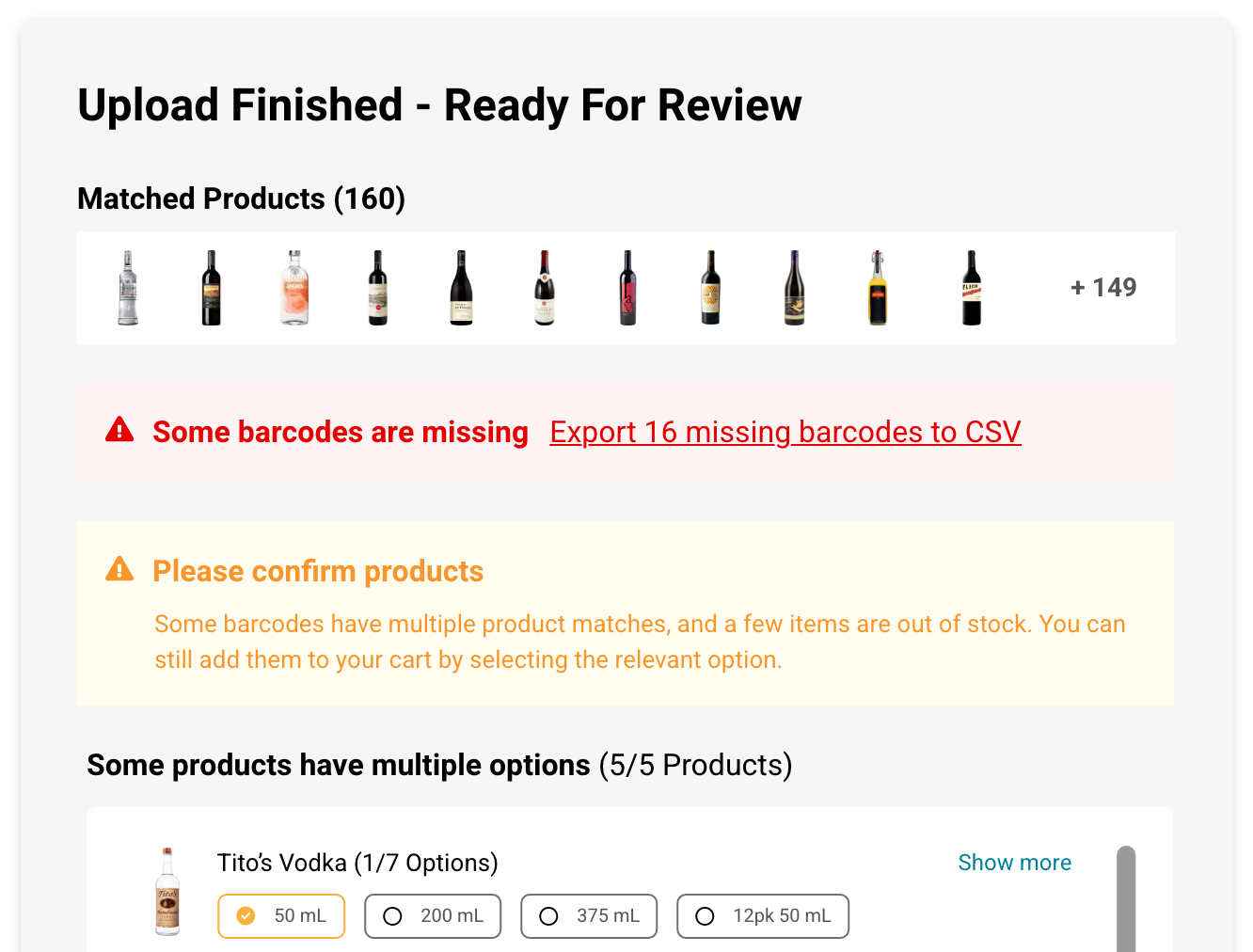
A bar manager exports an order from their own inventory system and sends it over. Some barcodes are stale, some belong to a different distributor, some rows have no quantity at all. A few products match several sizes — 50ml, 200ml, a 12-pack — and the file doesn't say which. A few are out of stock today.
An endpoint handles this by returning an error array. That leaves someone with a 167-line order and no idea which lines failed or what to do about them.
So I treated the upload as the easy half. The design problem was what happens to the rows that don't match — and whether someone can finish their order anyway.

UX & FLOW
Buyers already had the order in a file - exported from their inventory system, or kept as a running spreadsheet. It just had no way in, so they were adding products one at a time. I rebuilt a hundred-item order by hand on the dashboard and timed it: 58 minutes. That number became the thing the design had to beat, and the reason a partial success still had to end in a usable cart.
1. FILE
2. MAP
3. VALIDATE
4. SUBMIT
The established pattern. Reusing it was deliberate - an import flow is the wrong place to be original.
What isn't standard is what's being validated. A generic importer checks format. This one checks a live catalog, where a barcode can be valid and still be ambiguous - Tito's exists in seven sizes - or valid and out of stock today.
Neither is a data error, so the usual remedy doesn't apply: you can't correct a spreadsheet to make something in stock. Recovery became a loop instead of a repair. Export the failed rows, fix them, upload again with Keep — which is why that prompt carries more weight than it looks.
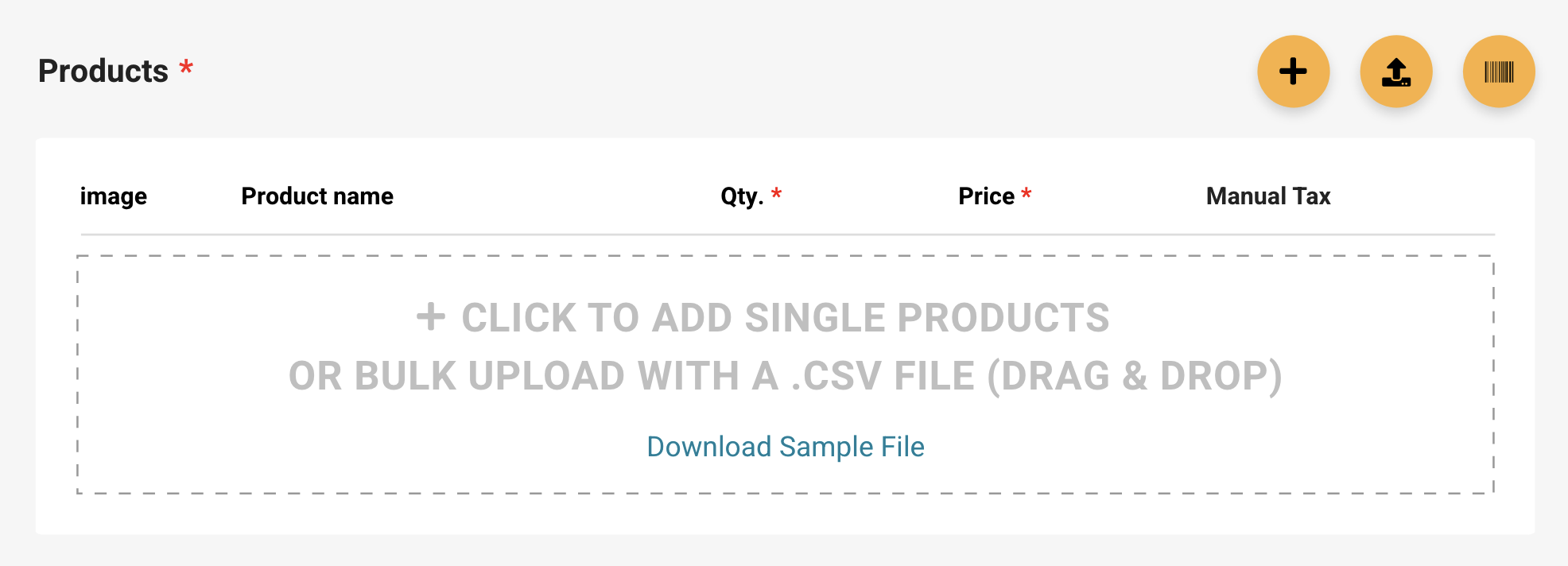
Two entry points, one resolution path. Everything after the file is parsed is shared.
COMPONENTS & UI
At City Hive we follow a strict design system that differs between buyers (AKA Storefront) and merchants (AKA Universal Dashboard).
This is a design that requires a similar, if not the same, UX Implemented on 2 different platforms.
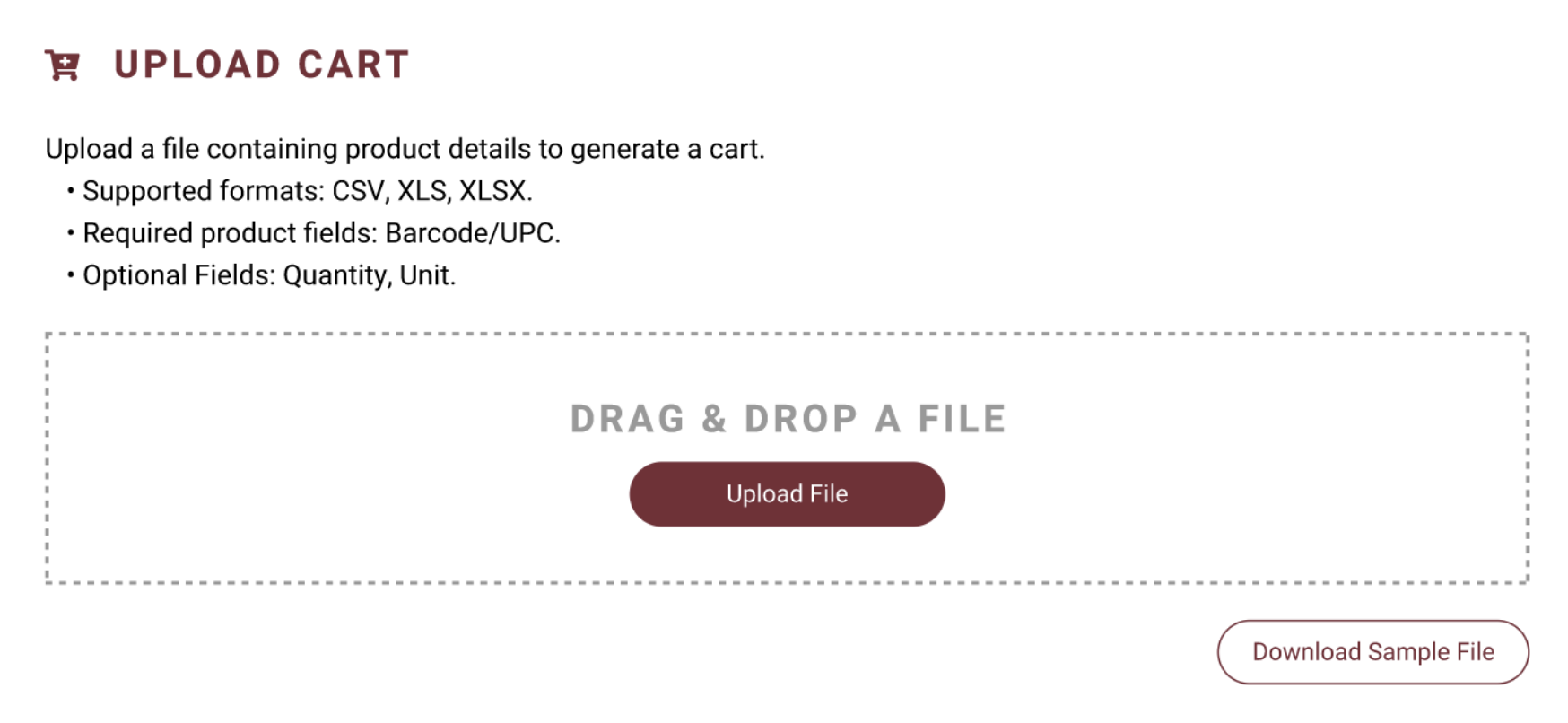
1. File - Upload Cart
Cart conflict is resolved before parsing. A merge you can't see is worse than a question you have to answer.
Dashboard
Storefront
2. Map - Sort the file
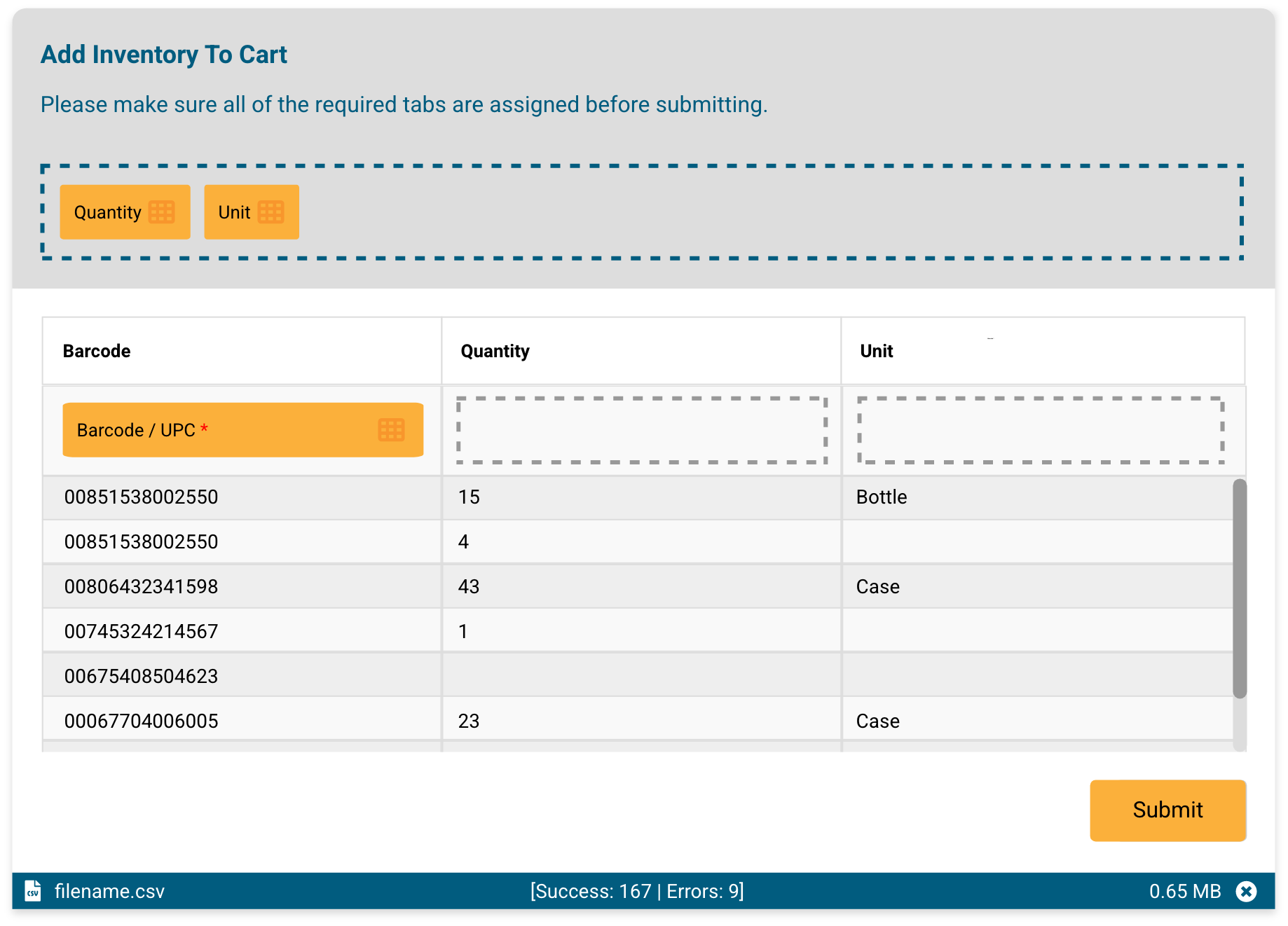
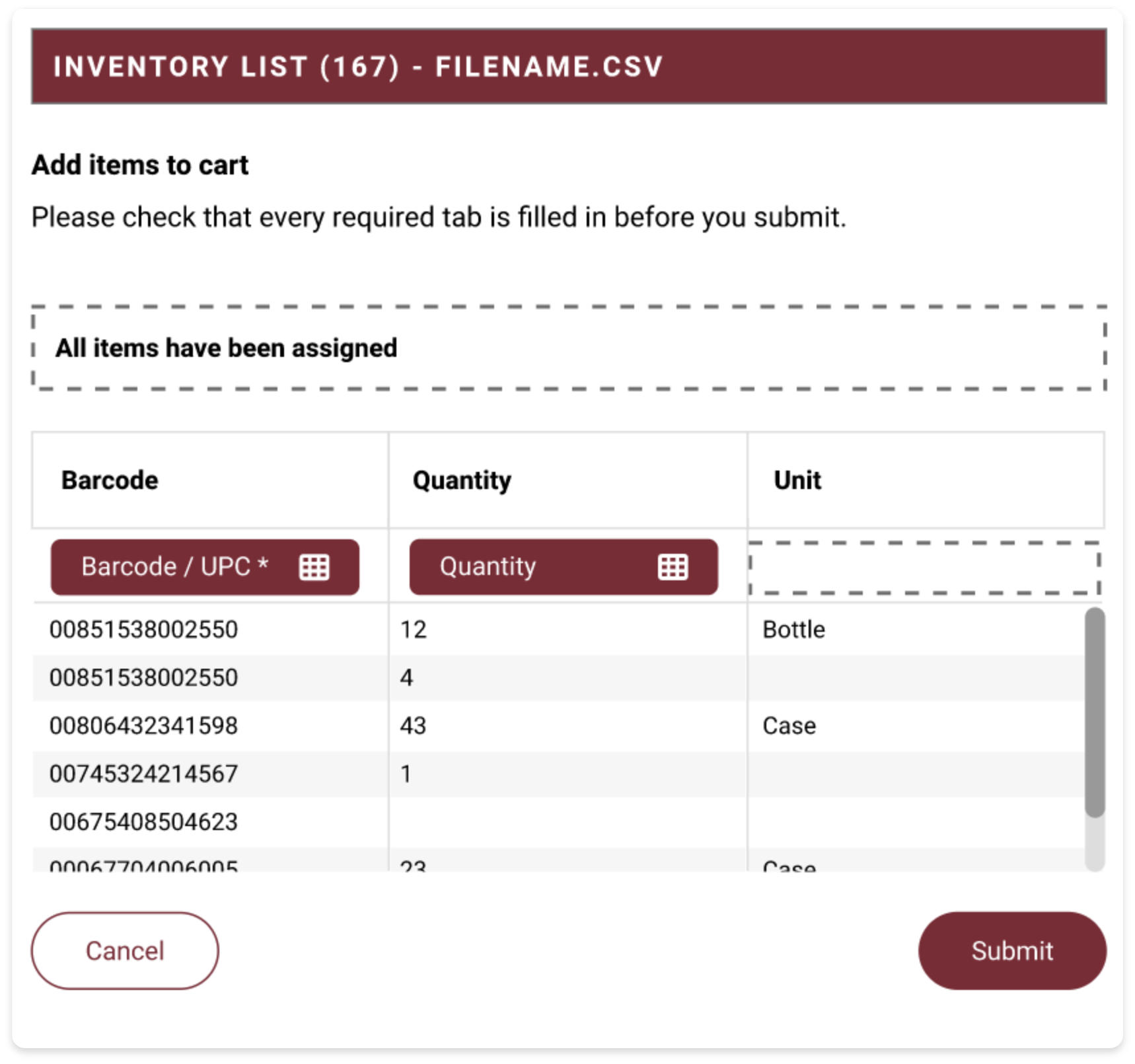
Export headers are arbitrary — Item UPC, Order Qty, Pack — so mapping has to be manual. Knowing when you're finished doesn't.
Quantity and Unit dragged onto their columns. Submit stays disabled until the required Barcode field has a home.
3. Validate - Solve issues and approve
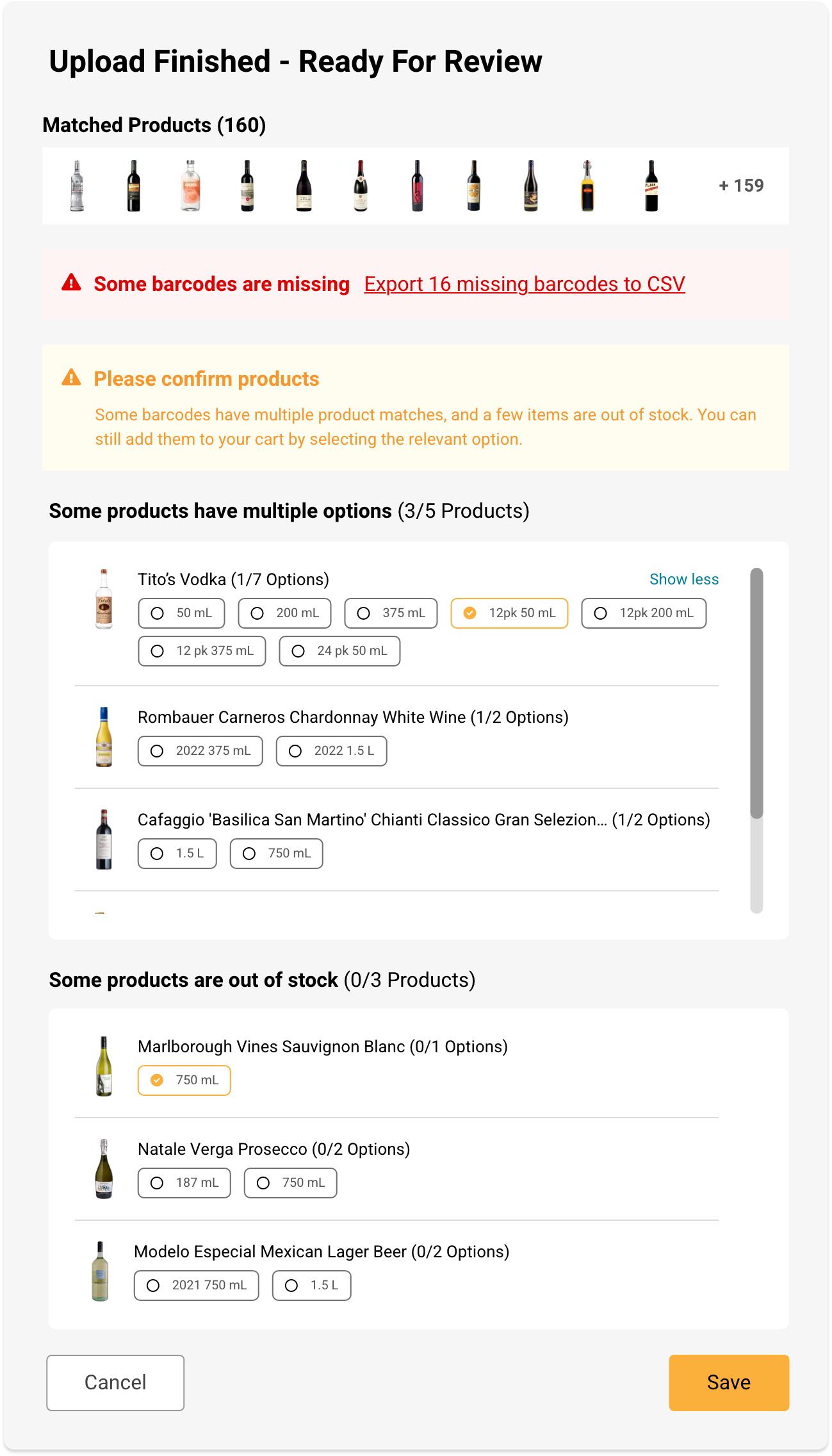
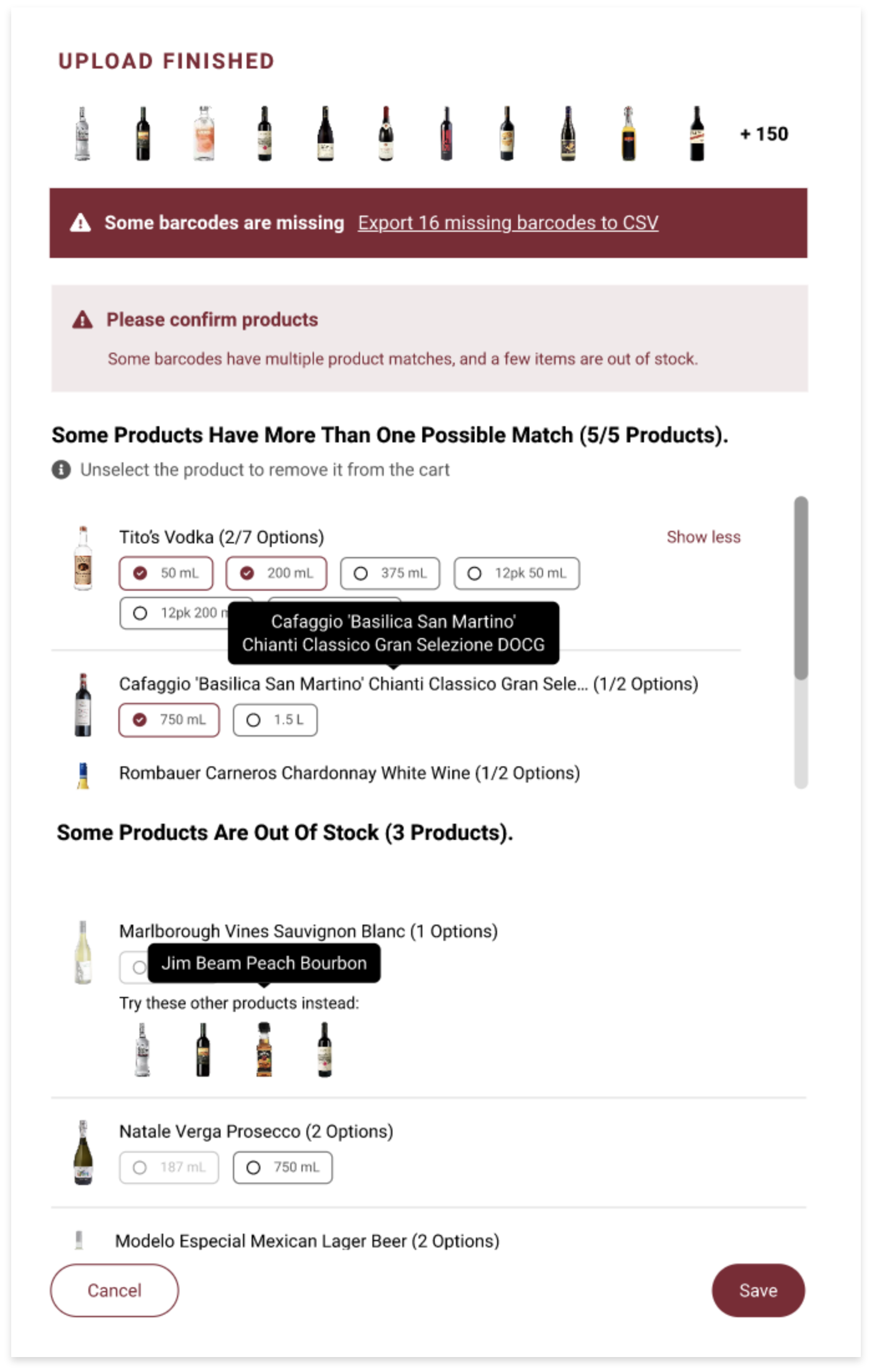
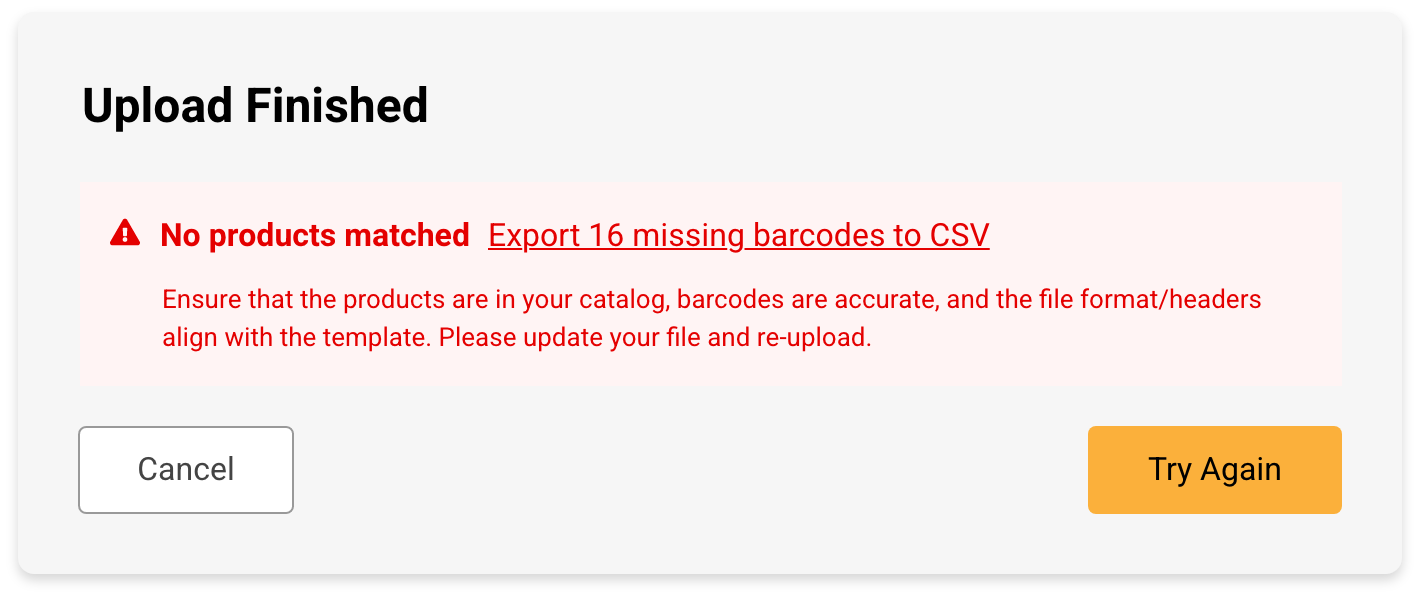
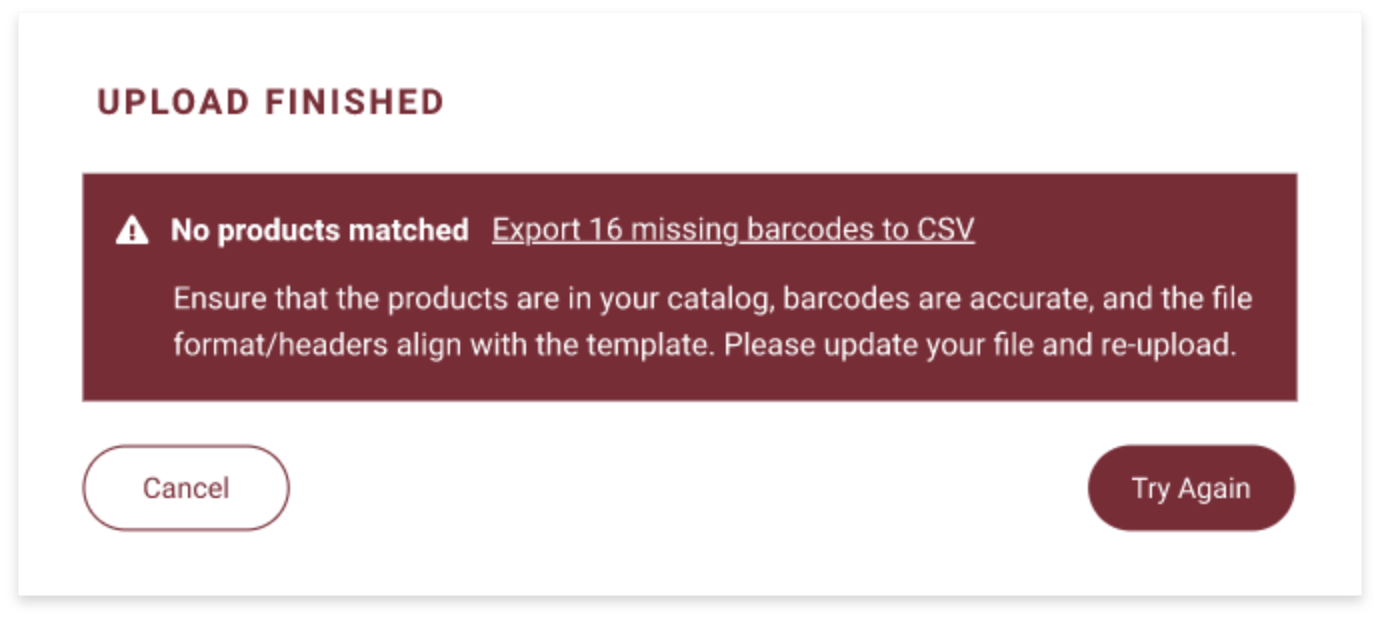
Three things can go wrong and they're not the same thing. A barcode that matches nothing is a file problem -
export those rows and fix them. A barcode that matches several sizes needs a choice.
A product that's out of stock isn't wrong at all; it's just unavailable today.
4. Submit - View updated cart
Back to where you started, with the cart filled. The merchant lands in the order they were already building; the customer lands in a cart ready to check out.
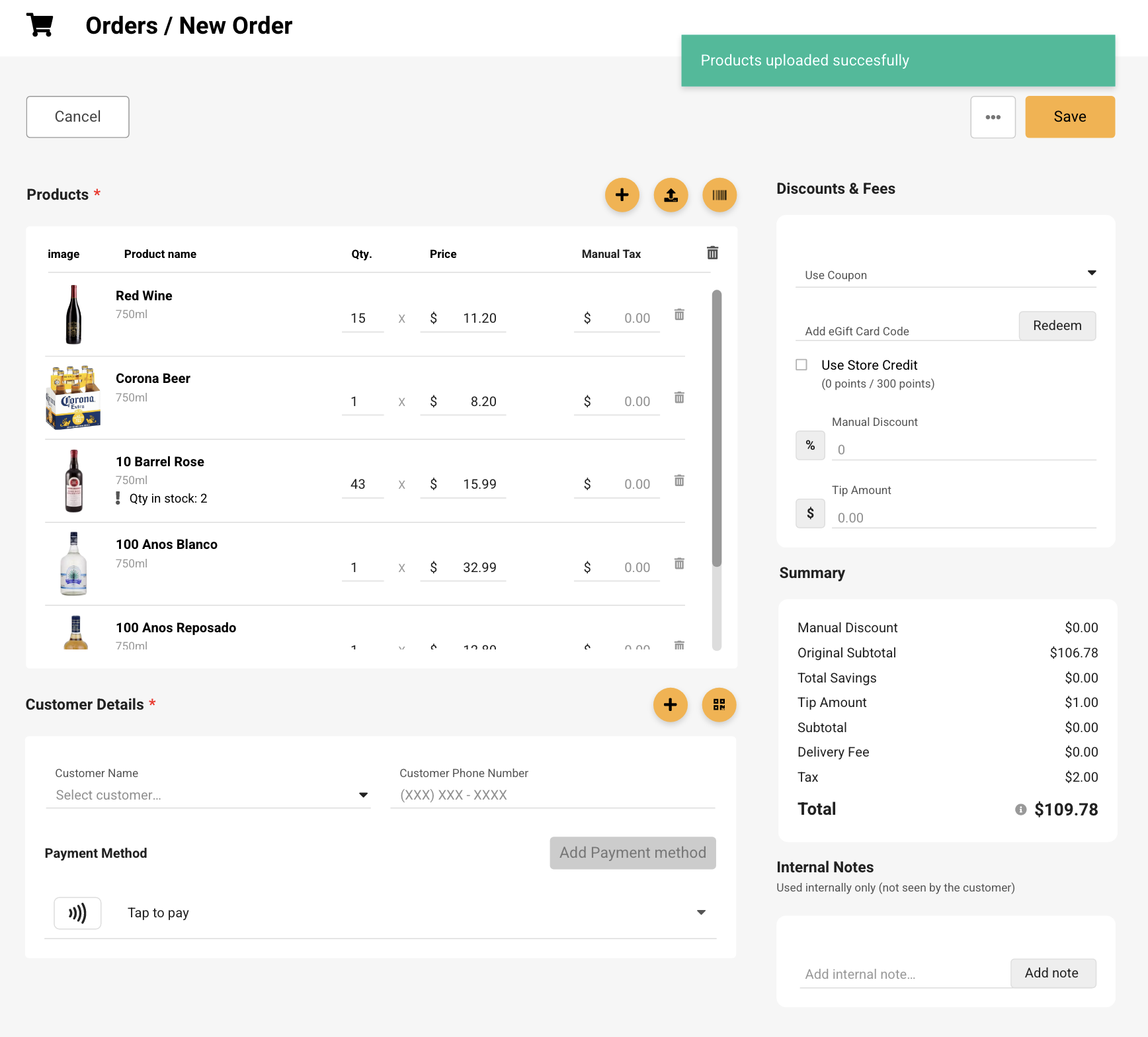
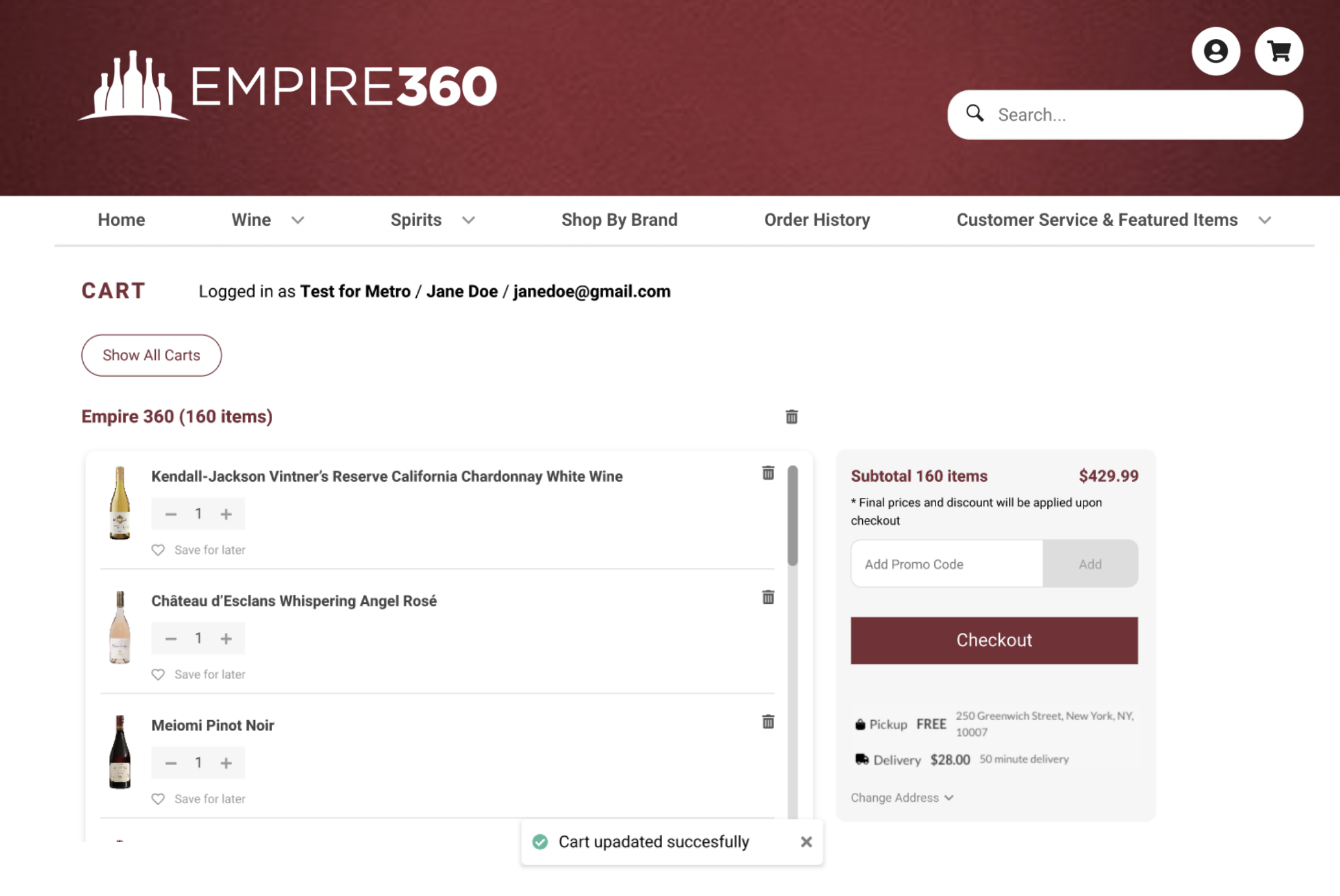
Merchant dashboard shipped first. Storefront was specced and designed, not yet released. I don't have post-launch numbers.
I left before instrumentation went in. The two I'd have watched: how many uploads land in "some issues" rather than "all matched," and whether exported failed rows ever come back.
The second one is the real test of the loop, because if those files don't return, the recovery design failed and the export is just a polite dead end.