
/ Case study 01
City Hive · B2B e-commerce · Shipped 2025
CSV order upload for beverage wholesale buyers
Upload a spreadsheet, create an order. The design problem was everything that goes wrong in between.
Company
City Hive, beverage e-commerce
Role
Product designer: reframe, UX, UI, spec, handoff
Surfaces
Merchant dashboard + storefront
Timeline
2025 · 1 week, primary sprint task
Team
Me, a dev team, 1 CS rep
At a glance
The ask
“There should be an API end point that allows authenticated users to send an excel listing of products and to have cart created and ready for them. Apparently a common use case for bars and restaurants.”
— The original request, and so a journey began
Time to build a 100-item order
Before: one product at a time
58 min
After: upload, map, confirm
2–10 min
How I measured it: timed a 100-item order built by hand on the dashboard, then timed real files through the upload flow, from the cleanest (2 min) to the messiest (10 min).
Outcome
200+
distributors got the upload flow on the merchant dashboard. Storefront designed and specced, not yet released.
On this page
01
Context
The order already exists. It just lives in a spreadsheet.
Exported files are messy. An endpoint answers a messy file with an error array, which leaves someone holding a 167-line order and no idea which lines failed or what to do about them.
Key insight
I treated the upload as the easy half. The design problem was what happens to the rows that don't match, and whether someone can finish their order anyway.
02
Flow
Four steps, on purpose
The established pattern: file, map, validate, submit. Reusing it was deliberate. An import flow is the wrong place to be original.
Two entry points, one resolution path
Everything after the file is parsed is shared.
Merchant
From inside an order
Customer
Upload cart page
→
Cart has items?
Keep or remove
→
Map columns
Barcode, quantity, unit
→
Match catalog
By barcode
→
All matched
Nothing to resolve
Some issues
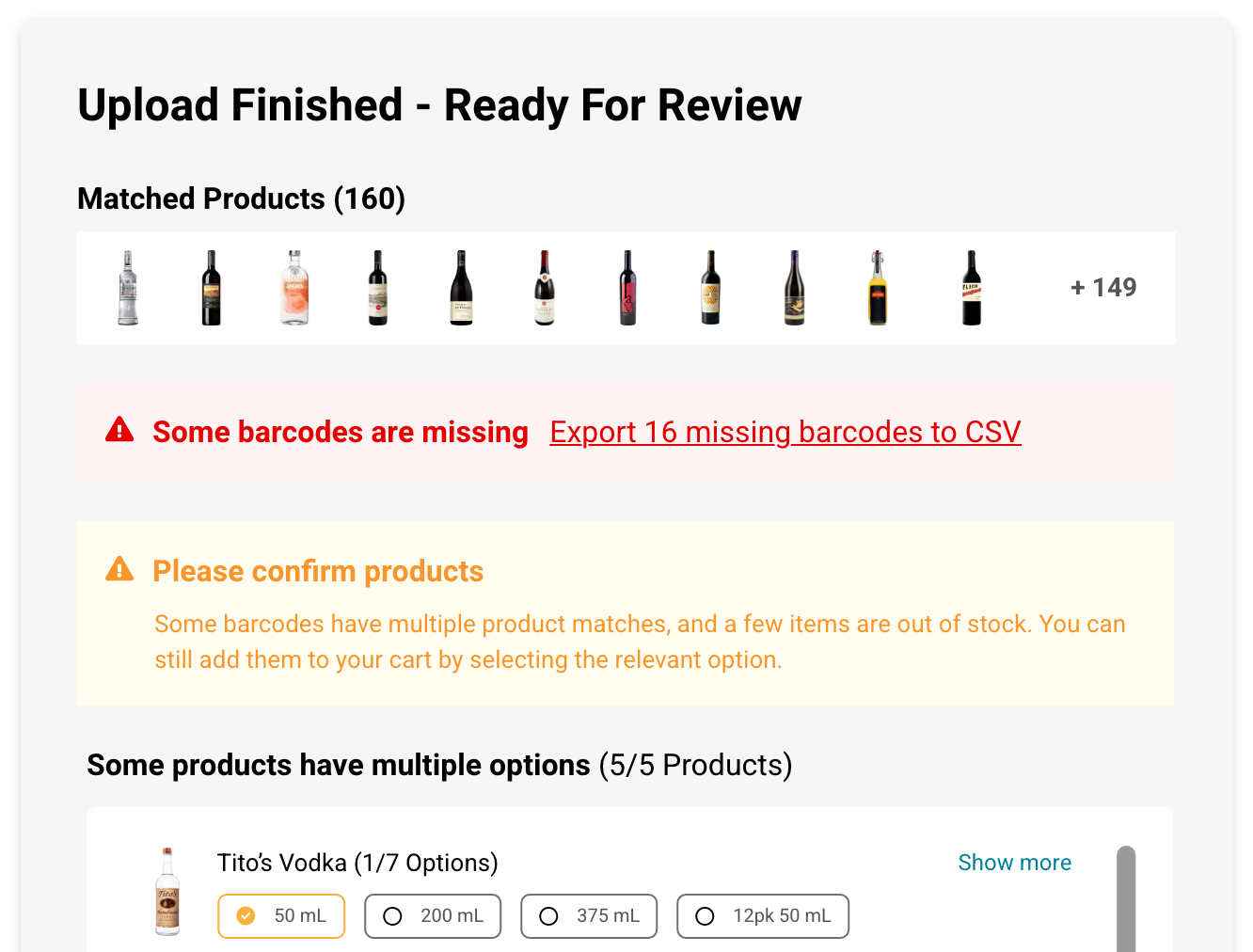
Missing, multiple, OOS
1
→
Review and fix
Choose or drop items
None matched
Dead end
→
Fix and retry
Export failed barcodes
2
→
Cart
Ready to check out
1
Valid isn’t resolved
A barcode can match and still be ambiguous (Tito’s comes in seven sizes) or out of stock today. Neither is a data error, so a format check can’t catch it.
2
Recovery is a loop, not a repair
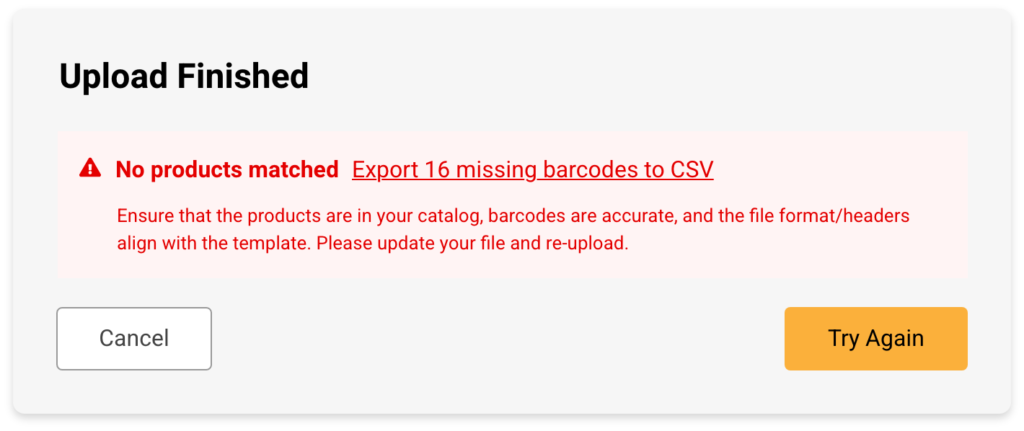
You can’t edit a spreadsheet into stock. Export the failed rows, fix them, upload again and choose Keep, so the rows already in the cart stay.
Merchant entry
Customer entry
Recovery
Result
03
Interface
The same flow, twice
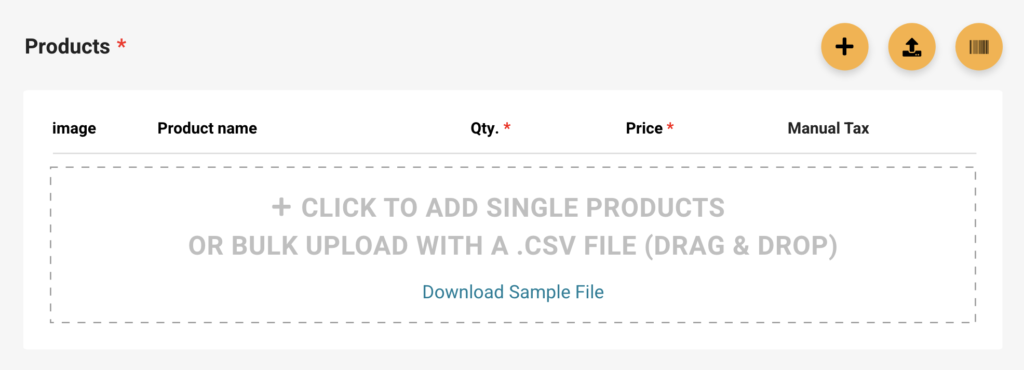
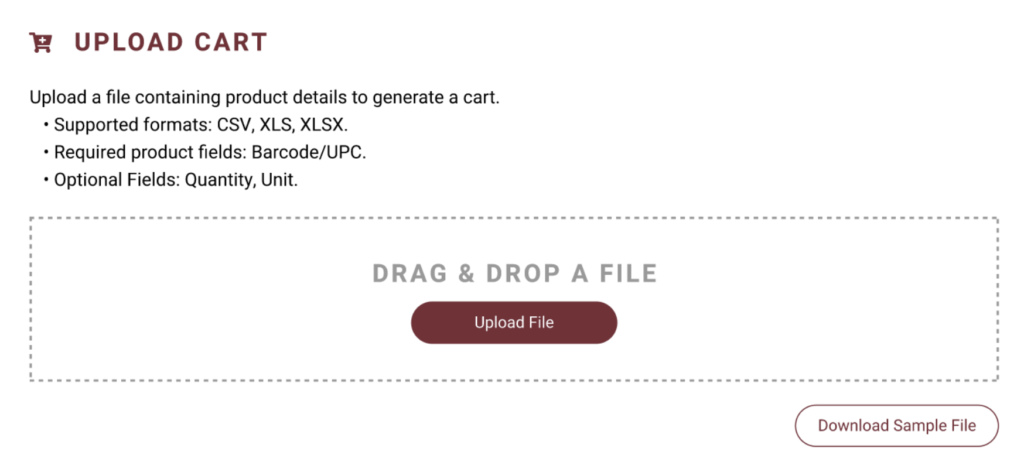
City Hive runs a strict design system that differs between buyers (Storefront) and merchants (Universal Dashboard). This design needed the same UX implemented on both platforms.
1
File: upload cart
Cart conflict is resolved before parsing. A merge you can't see is worse than a question you have to answer.
Dashboard
Storefront
2
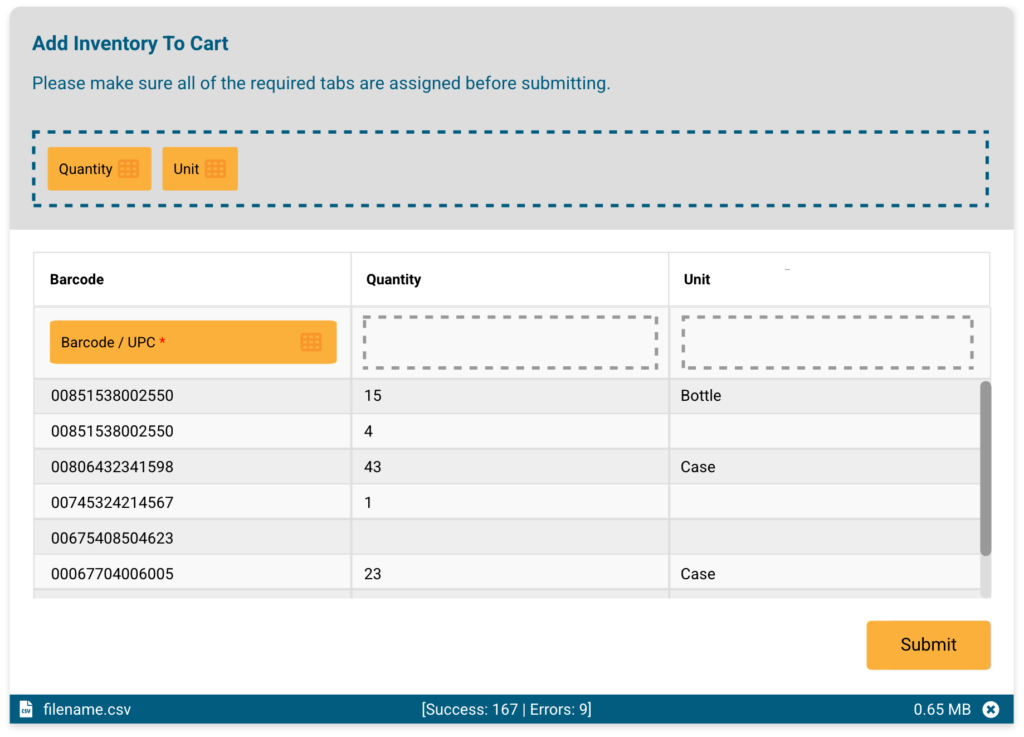
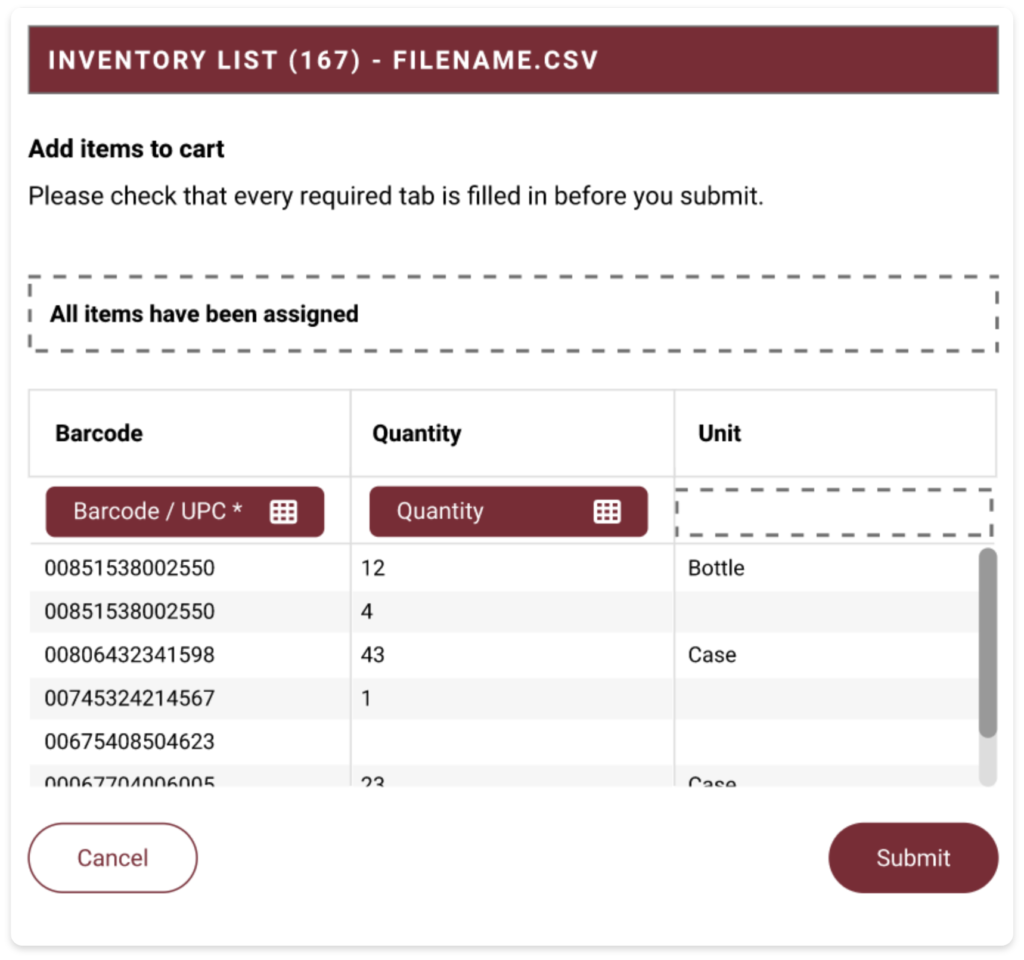
Map: sort the file
Export headers are arbitrary (Item UPC, Order Qty, Pack), so mapping has to be manual. Knowing when you're finished doesn't. Submit stays disabled until the required Barcode field has a home.
Dashboard
Storefront
3
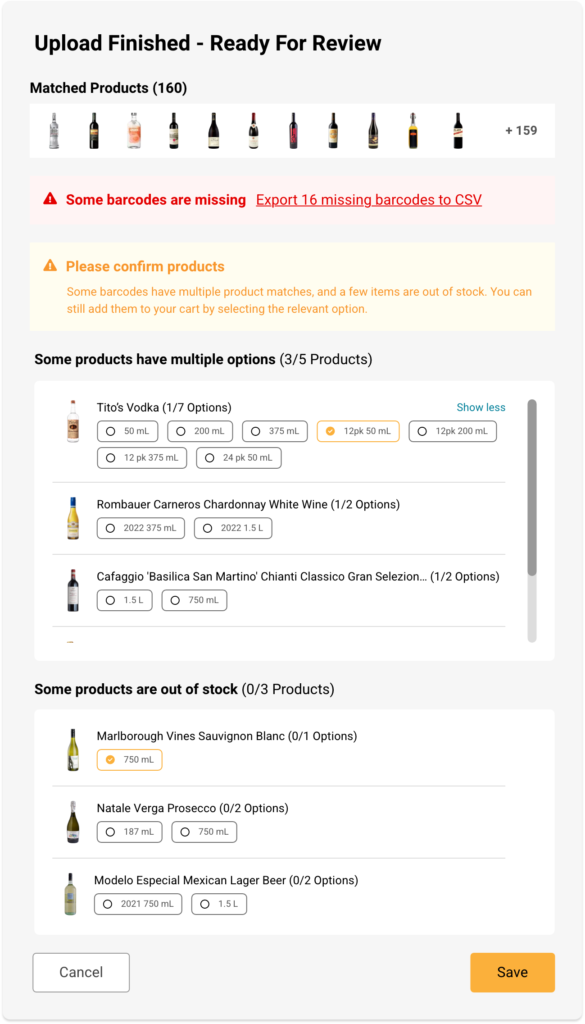
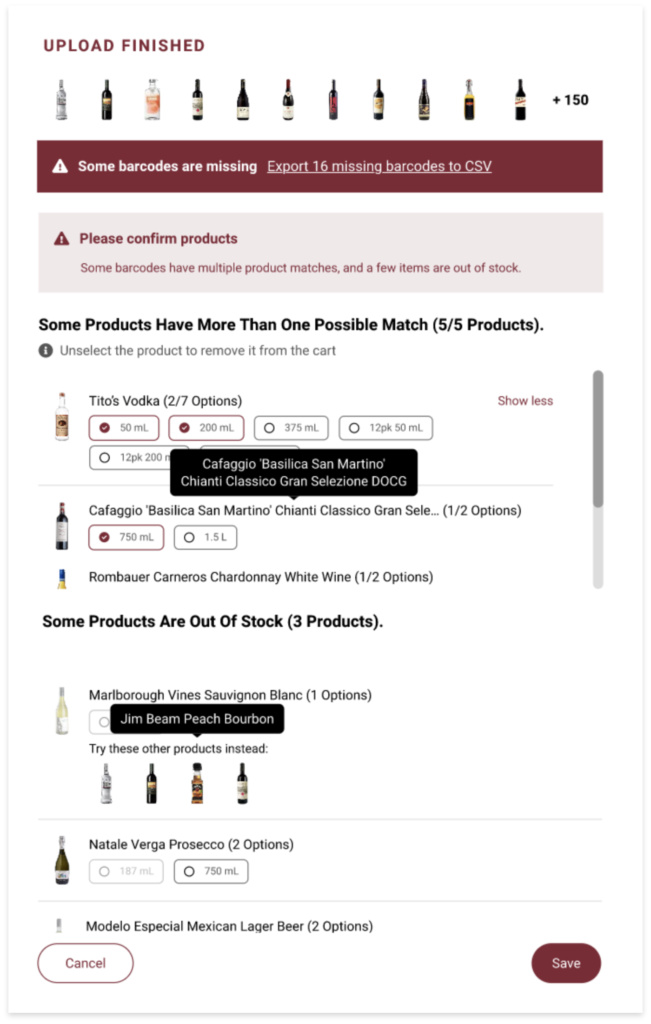
Validate: solve issues and approve
Three things can go wrong, and they're not the same thing.
Matches nothing
A file problem. Export those rows and fix them.
Matches several sizes
A choice. The buyer picks the right product.
Out of stock
Not wrong at all. It's just unavailable today.
Dashboard
Storefront
Dashboard · nothing matched
Storefront · nothing matched
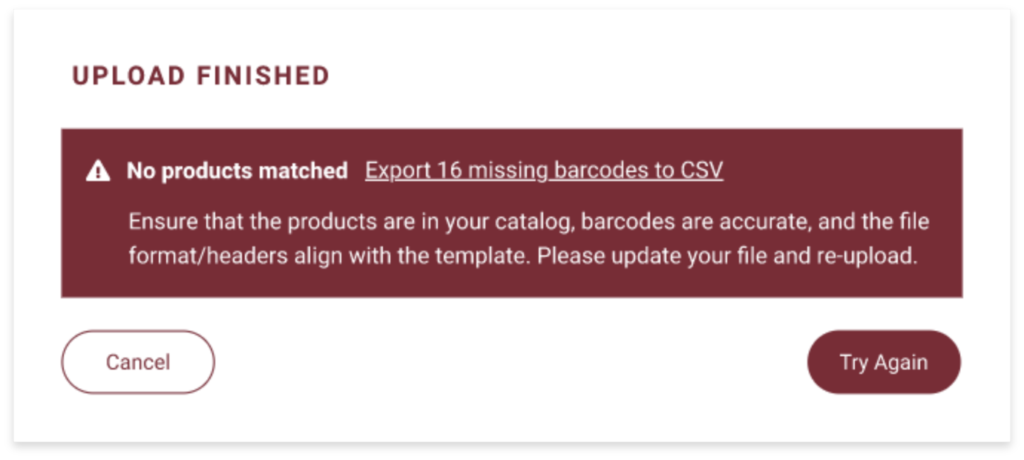
4
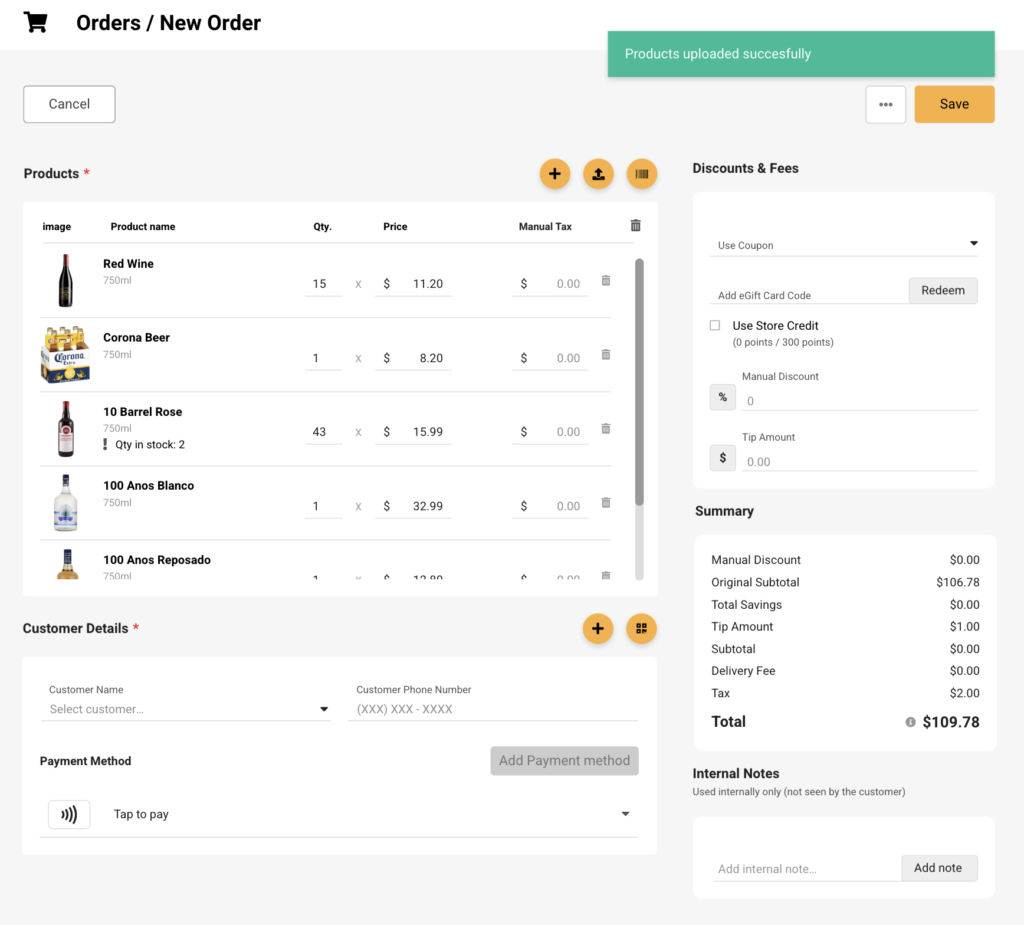
Submit: view updated cart
Back to where you started, with the cart filled. The merchant lands in the order they were already building; the customer lands in a cart ready to check out.
Dashboard
Storefront
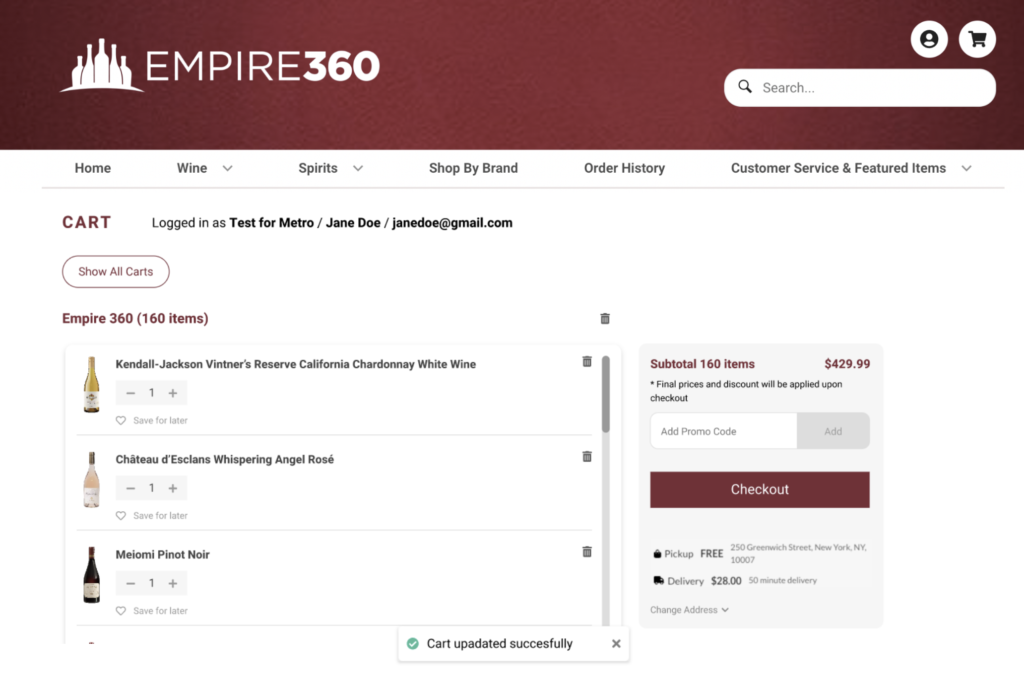
04
Walkthroughs
Watch it run
Screen recordings of both flows, end to end: file, map, validate, submit.
Merchant dashboard
Shipped
Storefront
Designed, not yet released
05
What shipped
Merchant dashboard first
Storefront was specced and designed, not yet released. On the merchant dashboard, usage shows buyers adopted it, and two numbers show whether the recovery design held up.
What the numbers showed
First-try match rate
41%
of uploads matched every row on the first try. The other 59% hit at least one problem row, so the review step carries most uploads.
Recovery loop
74%
of rows that failed on an earlier upload now go through successfully. Failed rows aren't a dead end; recovery works.
Monthly usage
220
orders placed through the CSV flow in the first month measured, counted with a production database query.
06
Reflection
What I'd take from this
Do differently
Time the typical file, not just the extremes
I timed the best and worst files, 2 and 10 minutes against a 58-minute manual baseline, but never a typical one. A median across real uploads would have turned the saving into one number instead of a range.
Learned
Design the failure path first
Only 41% of uploads matched on the first try. A flow built for the happy path would have failed most buyers. The review-and-retry loop is what made the feature work, and 74% of failed rows now go through.